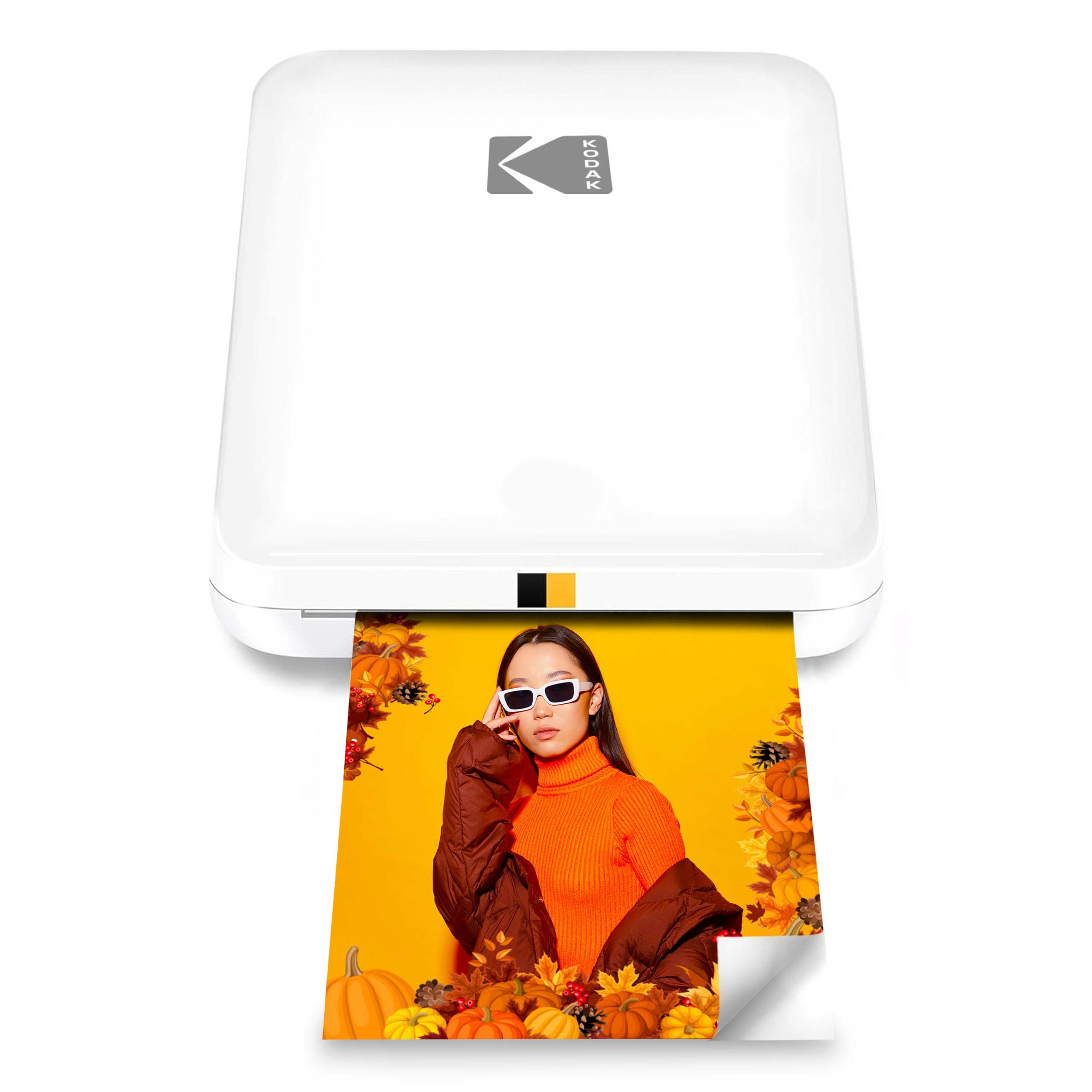
The KODAK Step Slim Instant Smartphone Photo Printer is designed to turn phone pictures into compact, peel and stick keepsakes without ink cartridges or a computer.
This KODAK Step Slim Instant Smartphone Photo Printer review looks at its portability, Zink paper format, and app based editing to help you decide whether that simple workflow fits your photo habits.
KODAK Step Slim Review Summary
The quick verdict
500+ ratings
Read Amazon ReviewsKODAK Step Slim Instant Smartphone Photo Printer
A pocket friendly option for smartphone users who want small, sticky backed color prints for scrapbooks, travel memories, and casual sharing.
- Portable, slim design intended to fit easily in a pocket or bag.
- Wireless Bluetooth printing from iOS and Android smartphones.
- Prints color 2 x 3 inch photos on Zink paper.
- Zink printing requires no separate ink cartridges or toner.

Pros
- Compact design makes it practical to carry for travel, events, and spontaneous photo sharing.
- Direct phone printing avoids the need for a computer or a wired setup.
Consider before buying
- The 2 x 3 inch format is too small for buyers who want standard size prints or larger wall photos.
- Printing depends on compatible Zink paper, which is a recurring supply to plan for.
Read the full review summary
Step Slim pairs a slim, pocket sized design with Bluetooth printing from iOS and Android devices.
Its 2 x 3 inch Zink photos are dry to the touch and have adhesive backing, so a print can move straight from the printer to a scrapbook page, locker, laptop, or other chosen surface.
The compact format favors quick keepsakes over large prints or an all purpose home printer.
The KODAK STEP Prints app is part of the appeal: it lets you personalize images with frames, stickers, and other edits before printing.
That makes the printer more engaging for journaling, parties, and sharing small pictures, though buyers should be comfortable using a phone app and stocking the matching Zink paper.
If you want a portable way to make occasional mini prints from a phone, the design is easy to understand; if you need larger photos or versatile document printing, its format is restrictive.
The buying factors
KODAK Step Slim Scorecard
Editorial scores reflect listed features and buyer fit; they are not laboratory measurements or customer ratings.
Portability
Its slim, lightweight, pocket sized design is well suited to carrying on trips or keeping handy for gatherings.
Phone workflow
Bluetooth pairing with iOS and Android devices supports a direct phone to print routine without a computer connection.
Print format
Sticky backed 2 x 3 inch photos are convenient for crafts and small displays, but intentionally small.
Creative editing
The app provides frames, stickers, and other personalization tools before printing.
Ink free convenience
Zink paper avoids separate ink or toner, with color printing handled through the paper.
Use flexibility
The design is focused on small smartphone photos, so it suits keepsakes better than broad printing needs.
Key Features and Specifications of KODAK Step Slim
- Portable, slim design intended to fit easily in a pocket or bag.
- Wireless Bluetooth printing from iOS and Android smartphones.
- Prints color 2 x 3 inch photos on Zink paper.
- Zink printing requires no separate ink cartridges or toner.
- Photos are dry to the touch after printing.
- Adhesive backed prints can be peeled and placed on surfaces such as scrapbook pages, lockers, or laptops.
- The KODAK STEP Prints app offers photo editing and personalization options, including frames and stickers.
Pros and Cons of KODAK Step Slim
Pros
- Compact design makes it practical to carry for travel, events, and spontaneous photo sharing.
- Direct phone printing avoids the need for a computer or a wired setup.
- Small adhesive backed prints work naturally for scrapbooking, decorating, and labeling personal spaces.
- App based frames and stickers give users ways to customize images before printing.
- Ink free Zink printing avoids managing separate ink or toner supplies.
Consider before buying
- The 2 x 3 inch format is too small for buyers who want standard size prints or larger wall photos.
- Printing depends on compatible Zink paper, which is a recurring supply to plan for.
- Personalization and printing are app centered, so buyers who prefer a standalone camera or desktop workflow may find the process less suitable.
Who Should Buy KODAK Step Slim?
Good fit
Consider the Step Slim if you want to turn phone photos into small physical souvenirs while traveling, at parties, or during craft projects.
The slim shape and wireless smartphone connection support casual printing where carrying a full size printer would be inconvenient.
It is especially well matched to scrapbookers, journal keepers, and anyone who likes placing miniature pictures on personal items.
Adhesive backing makes the prints useful as stickers, while the app's frames and stickers offer a little creative control before a photo comes out.
Before choosing it, think about how often you will print and whether the small format matches your plans.
You will need Zink photo paper, and the most straightforward experience relies on the KODAK app; check that this phone based routine works for you.
Who should skip it
Choose another kind of printer if your main goal is larger photographs, ordinary documents, or a single machine for varied household printing. Step Slim is built around small phone photos rather than general purpose output.
It may also be a poor fit if you want prints without an adhesive backing or do not want printing to depend on a smartphone app.
What the KODAK Step Slim Means for Everyday Phone Printing
A pocket printer built around immediacy
The appeal of a portable photo printer is having a physical picture close to the moment you take it.
Step Slim's compact design and Bluetooth phone connection aim at that use: select a picture on a smartphone and make a print without bringing a computer or bulky setup into the process.
That convenience is most useful when a small keepsake has more value than a larger, polished print.
Small sticky backed photos shape the use case
A 2 x 3 inch print is a natural size for planners, scrapbook layouts, lockers, and other compact displays. Adhesive backing makes placement simple, but it also means this format is best for personal decoration and casual sharing.
For framing or detailed viewing from a distance, buyers should consider whether a miniature image will satisfy them.
Editing before printing
The KODAK STEP Prints app adds a creative step before a photo is printed, with frames, stickers, and other editing tools.
That can make the printer more appealing for people who enjoy decorating pictures, especially for craft projects or gifts.
It also means the experience centers on a phone and app, so the workflow will feel most natural to buyers already comfortable editing images on mobile.
Plan around Zink paper
Zink technology removes the need for separate ink or toner by using the photo paper as part of the printing process.
This reduces the number of supply types to manage, while making compatible photo paper essential whenever you want to print. Buyers who expect frequent use should factor paper availability and replenishment into their decision.
Alternatives to KODAK Step Slim
Portable Photo Printers alternative

25,000+ ratings
Read Amazon ReviewsHP Sprocket Select 2.3 x 3.4 Instant Photo Printer
Consider the Sprocket Select if a somewhat larger print area is more useful for your keepsakes. Step Slim remains the more suitable choice if its smaller sticky backed format and KODAK editing workflow match your routine.
- The Sprocket Select prints larger 2.3 x 3.4 inch Zink photos and includes HP app editing tools such as frames and filters.
- Step Slim prints small 2 x 3 inch Zink photos and emphasizes a slim design with KODAK app editing.
Portable Photo Printers alternative
12,000+ ratings
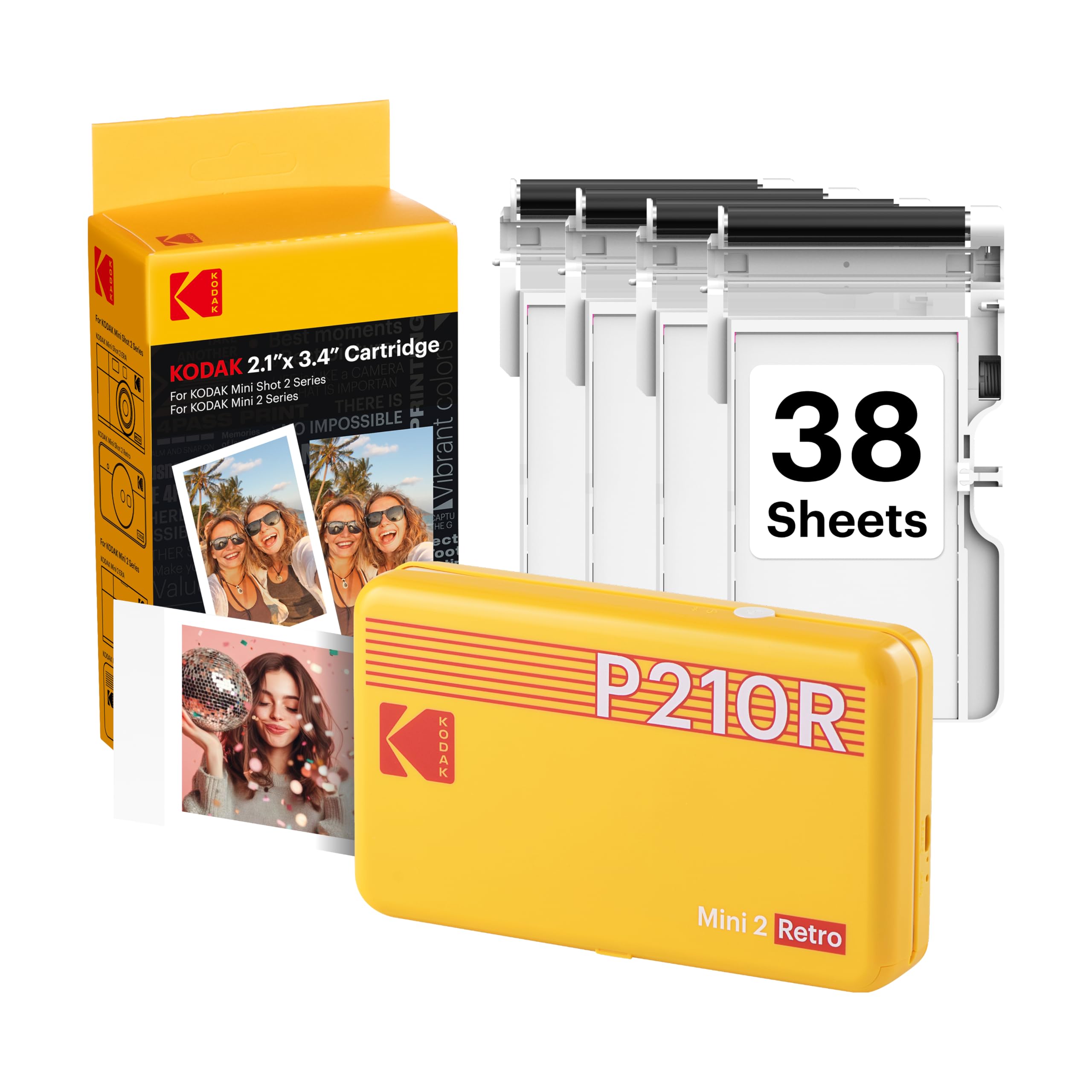
Read Amazon ReviewsKODAK Mini 2 Retro Portable Photo Printer
The Mini 2 Retro is worth comparing if you prefer a different print process and a bundle that includes starter cartridges and paper.
Step Slim is the more straightforward fit when ink free Zink printing and adhesive backed mini photos are the priorities.
- The Mini 2 Retro uses 4PASS dye sublimation, prints credit card sized photos, and includes a starter supply of cartridges and paper.
- Step Slim uses Zink paper for 2 x 3 inch prints and is designed for a slim, pocket friendly phone printing setup.
Is KODAK Step Slim Worth It?
The KODAK Step Slim Instant Smartphone Photo Printer is worth considering if your goal is to carry a small printer for quick, personalized phone photo keepsakes.
Bluetooth printing, app editing, and adhesive backed Zink paper make it a practical match for scrapbooks, travel memories, and casual sharing.
Its format is the key tradeoff: 2 x 3 inch prints are useful for compact projects, not a substitute for larger photos or general printing.
If that size and an app based paper workflow suit you, Step Slim is a focused portable option; otherwise, choose a printer designed around your preferred print size and use.
Your review at a glance
500+ ratings
Read Amazon ReviewsKODAK Step Slim Instant Smartphone Photo Printer
A pocket friendly option for smartphone users who want small, sticky backed color prints for scrapbooks, travel memories, and casual sharing.
- Portable, slim design intended to fit easily in a pocket or bag.
- Wireless Bluetooth printing from iOS and Android smartphones.
- Prints color 2 x 3 inch photos on Zink paper.
- Zink printing requires no separate ink cartridges or toner.