This HP Sprocket Select review looks at a portable photo printer for turning phone pictures into larger, sticky-backed prints. Its appeal centers on app-based personalization and pocketable, travel-friendly printing.
Sprocket Select Review Summary
The quick verdict

25,000+ ratings
Read Amazon ReviewsHP Sprocket Select
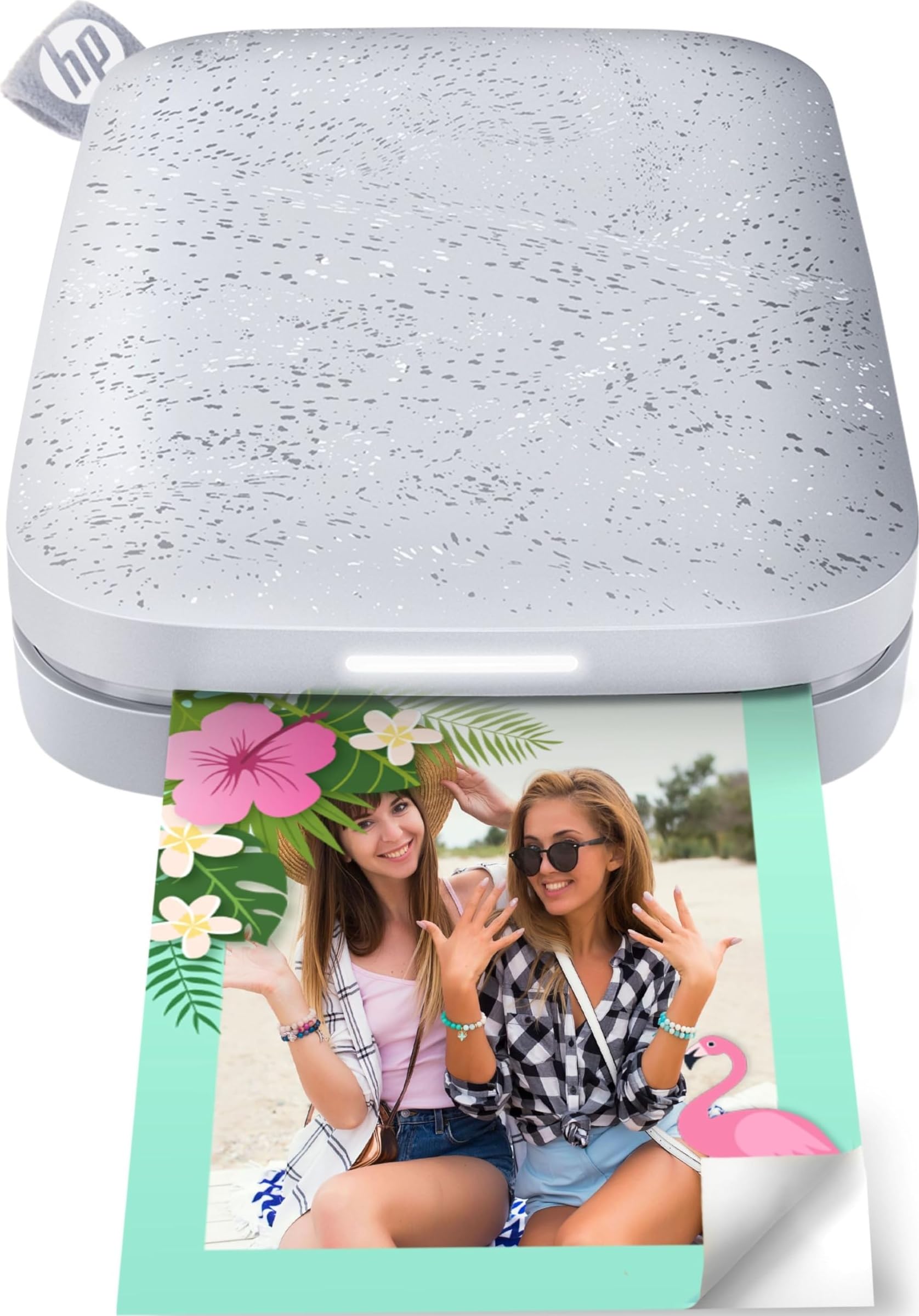
A phone-connected portable printer for buyers who want larger adhesive-backed snapshots to personalize, share, and carry.
- Prints phone or social-media photos in a 2.3” x 3.4” format.
- Uses ZINK sticky-back photo paper, with no toner or ribbon replacements.
- Connects with iOS and Android devices over Bluetooth 5.1.
- The HP app includes editing tools, frames, filters, and custom sticker creation.

Pros
- Larger sticky-backed prints suit journals, crafts, and casual display.
- ZINK printing removes the need to replace toner or ribbons.
Consider before buying
- The 2.3” x 3.4” print format remains a small snapshot, so it is a poor fit when you need full-size prints.
- Printing depends on a phone, Bluetooth, and the HP app, so it may not suit buyers who want a standalone workflow.
Read the full review summary
Consider the Sprocket Select if phone photos are more useful to you as physical keepsakes, stickers, or small gifts.
Its 2.3” x 3.4” ZINK prints are larger than the familiar pocket-photo format, and the sticky backing makes them easy to place in a journal or on a display surface.
It is aimed at iOS and Android users who want to select and edit images in the HP app, then print over Bluetooth.
The portable rechargeable design suits occasional printing at home and while traveling, though buyers should be comfortable with app-led setup and ZINK paper as the consumable format.
The buying factors
Sprocket Select Scorecard
Editorial scores reflect listed features and buyer fit; they are not laboratory measurements or customer ratings.
Print size
The 2.3” x 3.4” format gives buyers a larger keepsake than the smallest pocket prints while staying compact enough for casual sharing.
Phone connectivity
Bluetooth 5.1 support for iOS and Android makes phone-first printing central to the design.
Print personalization
The HP app offers editing tools, filters, frames, and custom sticker creation for buyers who like to tailor their prints.
Paper convenience
ZINK paper avoids toner or ribbon replacement, and its sticky backing supports quick placement in crafts and journals.
Portability
The pocket-sized rechargeable body, magnetic lid, and travel-friendly design support carrying it for informal print sessions.
Creative extras
App filters, frames, social tagging, and augmented reality features add options beyond sending an unedited image to print.
Key Features and Specifications of Sprocket Select
- Prints phone or social-media photos in a 2.3” x 3.4” format.
- Uses ZINK sticky-back photo paper, with no toner or ribbon replacements.
- Connects with iOS and Android devices over Bluetooth 5.1.
- The HP app includes editing tools, frames, filters, and custom sticker creation.
- Tag-to-Print can send selected social-media photos to the HP app for printing.
- Pocket-sized rechargeable body with a soft-touch base and removable magnetic lid.
Pros and Cons of Sprocket Select
Pros
- Larger sticky-backed prints suit journals, crafts, and casual display.
- ZINK printing removes the need to replace toner or ribbons.
- App editing and custom sticker tools give buyers ways to personalize prints before sharing.
- The rechargeable pocket-sized design is made for home use and travel.
Consider before buying
- The 2.3” x 3.4” print format remains a small snapshot, so it is a poor fit when you need full-size prints.
- Printing depends on a phone, Bluetooth, and the HP app, so it may not suit buyers who want a standalone workflow.
- For frequent outdoor calls, check how the app and connection behave in the places where you plan to print.
Who Should Buy Sprocket Select?
Good fit
Buy the Sprocket Select if you want a portable way to turn phone photos into larger sticky-backed keepsakes.
The print size, ZINK paper, and app editing tools line up well with journaling, informal decorating, and sharing snapshots with friends.
It also makes sense for buyers who want a rechargeable printer to take between home and travel, and who would enjoy adding filters, frames, or custom stickers before printing.
Who should skip it
Skip it if you need standard-size photo prints, since the stated output is a small 2.3” x 3.4” snapshot. It is also a mismatch if you prefer printing without relying on a smartphone and app.
Sprocket Select Review Analysis
Print size and paper format
The Sprocket Select’s defining choice is a 2.3” x 3.4” adhesive print.
That format is useful when a photo should become part of a journal, planner, or collage, but it does not replace a larger home photo printer for framed pictures.
ZINK paper also means buyers avoid separate toner and ribbon replacements.
App-led photo workflow
This is a phone-first product: choose pictures from an iOS or Android device, connect over Bluetooth, and use the HP app for edits or creative additions.
The Tag-to-Print feature can help surface social photos for printing, while buyers who keep most pictures outside those services may mainly use the ordinary app selection flow.
Portability and occasions
A pocket-sized rechargeable body fits casual use at home or on a trip, particularly when sharing small prints is part of the occasion.
The removable magnetic lid and soft-touch base are practical design details, but the main portability benefit is carrying a printer that works from a phone rather than planning a separate desktop setup.
Alternatives to Sprocket Select
Sticker-print alternative
25,000+ ratings
Read Amazon ReviewsHP Sprocket Portable Photo Printer (2nd Edition)
Choose the Sprocket Select for its larger 2.3” x 3.4” output; choose the 2nd Edition if the 2x3-inch size suits you and multiple-device printing is useful.
- The HP Sprocket Portable Photo Printer (2nd Edition) prints 2x3-inch sticky-backed photos and lets multiple devices connect for simultaneous printing.
- The Sprocket Select makes 2.3” x 3.4” prints and connects to iOS or Android devices over Bluetooth.
Laminated-print alternative

12,000+ ratings
Read Amazon ReviewsKODAK Mini 2 Retro 2x3 Portable Photo Printer
Choose the Sprocket Select if sticky-backed ZINK prints and no toner or ribbon replacements fit your routine; choose the KODAK if you prefer a laminated 4PASS print and a bundle that includes cartridges and photo paper.
- The KODAK Mini 2 Retro prints 2x3 photos using 4PASS dye sublimation, with a clear protective lamination layer. The bundle includes cartridges and photo paper.
- The Sprocket Select uses sticky-backed ZINK paper for its 2.3” x 3.4” prints.
Is Sprocket Select Worth It?
The HP Sprocket Select is worth considering if you want larger pocket prints with adhesive backing and plan to make them from photos on a phone.
Its blend of ZINK paper, Bluetooth connection, and app-based personalization suits casual keepsakes and creative projects.
Pass if you need larger conventional prints or a printer that works independently of a phone app.
For the right buyer, the Sprocket Select is a portable, creative option whose strongest reason to buy is making phone photos tangible and easy to place.
Your review at a glance
25,000+ ratings
Read Amazon ReviewsHP Sprocket Select
A phone-connected portable printer for buyers who want larger adhesive-backed snapshots to personalize, share, and carry.
- Prints phone or social-media photos in a 2.3” x 3.4” format.
- Uses ZINK sticky-back photo paper, with no toner or ribbon replacements.
- Connects with iOS and Android devices over Bluetooth 5.1.
- The HP app includes editing tools, frames, filters, and custom sticker creation.